
Gesture Recognizer
Gesture Recognizer Overview
This document describes the process by which Touch Events received by a WindowEventDispatcher are transformed into Gesture Events.
Touch Events
- Press
- Move
- Release
- Cancel: fired on preventDefault'ed release, or when we need to truncate a touch stream (i.e. when something else takes window capture)
Gesture Events
Gesture Events contain type specific data in their GestureEventDetails object. See here for a summary of the typical event sequences.
- Tap Down
- Fired when the first finger is pressed.
- Show Press
- Fired on a delay after a tap down if no movement has occurred, or directly before a tap if the finger is released before the delay is finished.
- Triggers the active state.
- Tap
- Fired after a press followed by a release, within the tap timeout window.
- Has a "tap_count" field, indicating whether or not this is a single, double or triple tap.
- Tap Cancel
- Eventually fired after every Tap Down which doesn't result in a tap.
- Double Tap
- Only fired on Android, where it is used for double tap zooming.
- Tap Unconfirmed
- Only fired on Android.
- Occurs whenever a tap would occur on Aura.
- On Android, tap is fired after a delay, to ensure the current gesture isn't a double tap.
- Long Press
- Fired on a delay after a tap down, if no movement has occurred.
- Swipe
- Some number of fingers were pressed, and then at least one finger was released while all fingers were moving in the same direction.
- Contains the direction the fingers were moving in.
- Scroll Begin
- Contains the offset from the tap down, to hint at the direct the scroll is likely to be in.
- Scroll Update
- Contains the scroll delta.
- Scroll End
- Fired when a finger is lifted during scroll, without enough velocity to cause a fling.
- Fling Start
- Fired when a finger is lifted during scroll, with enough velocity to cause a fling.
- Fling Cancel
- If we're in a fling, stop it. This is synthesized and dispatched immediately before each tap down event.
- Pinch Begin
- Pinch Update
- Associated scale.
- Pinch End
- Two Finger Tap
- Two fingers were pressed, then one was released, without much finger movement.
- Begin
- A finger was pressed. You can figure out how many fingers are down now using event.details.touch_points().
- End
- A finger was released. You can figure out how many fingers are down now using event.details.touch_points().
Terminology
- Touch Lock:
- The association between an existing touch and its target.
- Touch Capture:
- If a window is capturing touches, new touches will be targetted at the capturing window.
- Touch Id:
- The global id given to each touch. Contiguous starting from 0 for each display.
- Rail Scroll:
- A scroll which is locked to only move vertically or horizontally.
- Fling:
- When scrolling, if the user releases their fingers, but the scroll should continue, this is known as a fling.
Finding a Target
Possible ways of establishing a target
- If a touch is already locked to a target, keep it.
- If a window is capturing touches, target that window.
- If it's outside the root window, target the root window.
- If it's near another touch, use the other touch's target.
- Otherwise, use whichever window the touch is above.
In the following images, a filled in circle represents a touch down, and the outline of a circle represents a position the touch has moved to. The dotted green line indicates the window that a touch is targeted at. The rounded rectangle represents a window, and the outer rectangle represents the root window.
1. If a touch is already locked to a target, keep it. 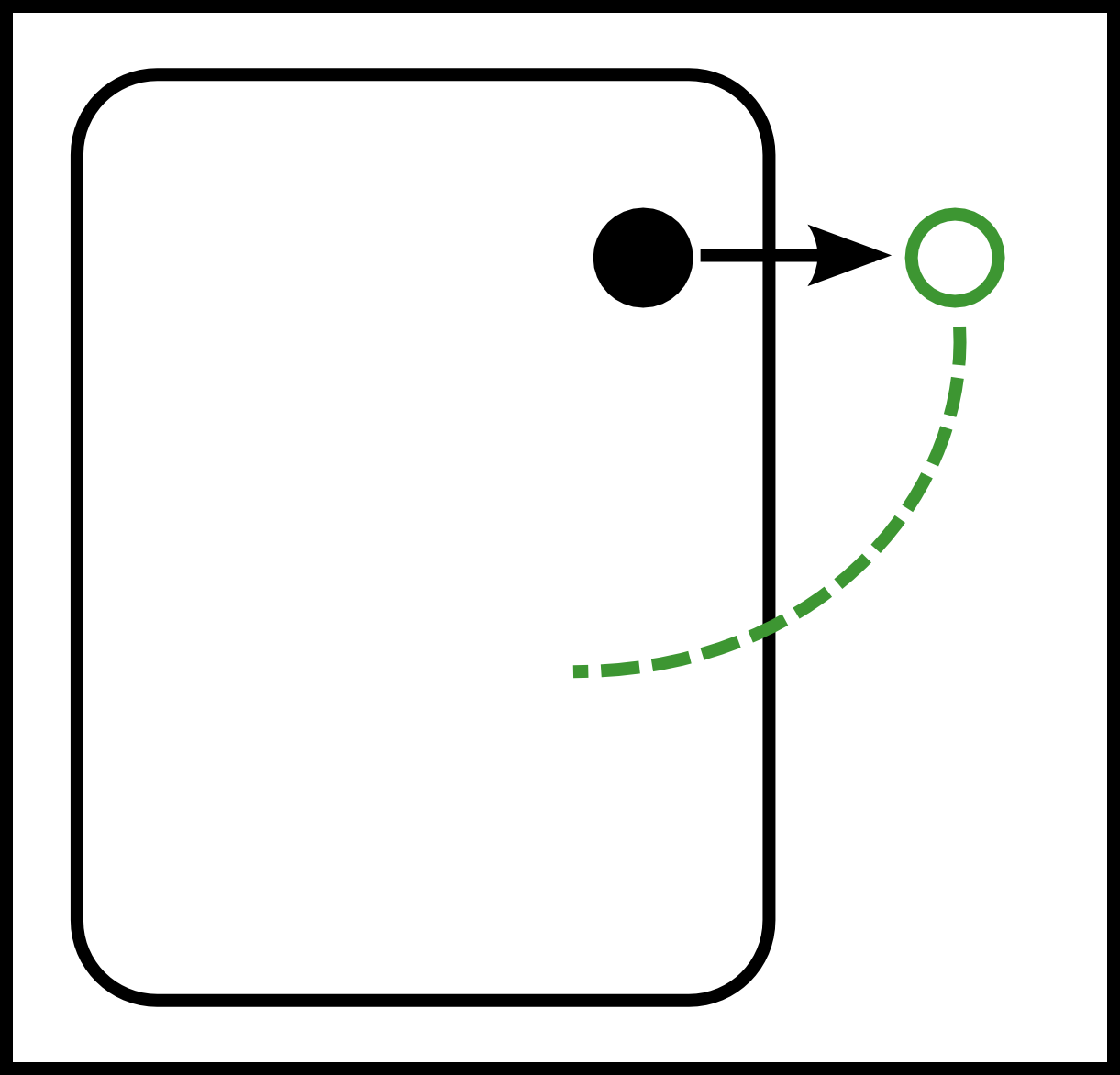 |
2. If a window is capturing touches, target that window. | 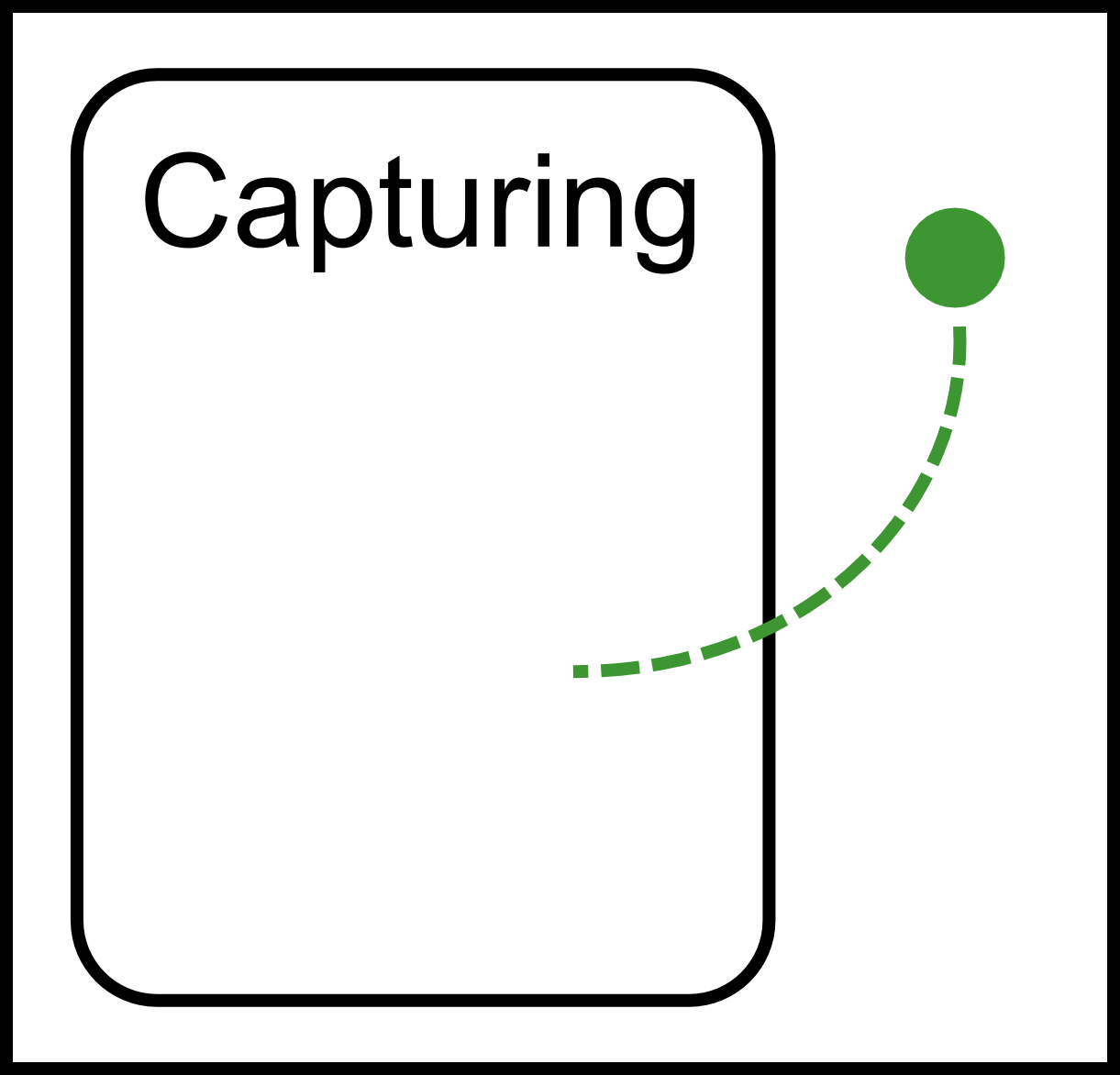 |
|
| 3. If it's outside the root window, target the root window. | 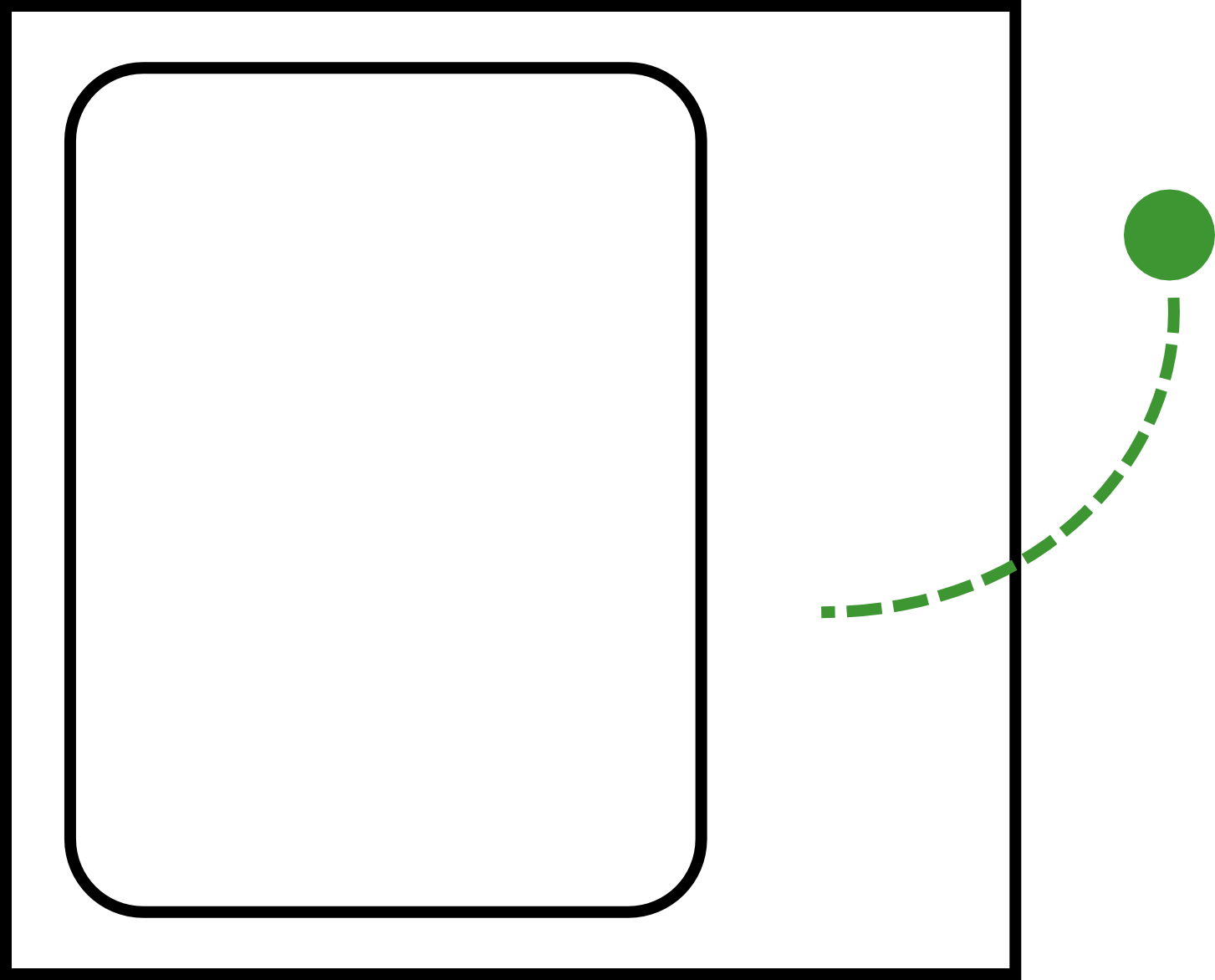 |
4. If it's near another touch, use the other touch's target. |  |
5. Otherwise, use whichever window the touch is above.  |
Complications
preventDefault’ed Release
When Javascript calls preventDefault on a touch release, we need to make sure that no gesture events are created, but we also need to ensure that the GestureRecognizer knows that the associated finger isn’t down any more. To accomplish this, we turn the touch release into a touch cancel event.
Touch Capture
When a touch capture occurs, all touches on windows other than the window gaining capture need to be ignored until they are released. To do this, we fire a touch cancel for each of these touches.
Generating Gesture Events
Each touch-id has an associated window (See GestureRecognizerImpl::touch_id_target_), and each window has an associated GestureProviderAura.
GestureProviderAura contains a FilteredGestureProvider, which is responsible for performing gesture detection on both Android and Aura.
Where To Start
- Responsible for mapping from touches to windows, and hosts the GestureProviderAura objects.
GestureDetector, ScaleGestureDetector
- Take in touches, and fire callbacks for each gesture.
- Hosts the GestureDetector and ScaleGestureDetector.
- Constructs GestureEventData objects, which are turned into GestureEvent objects in GestureProviderAura.